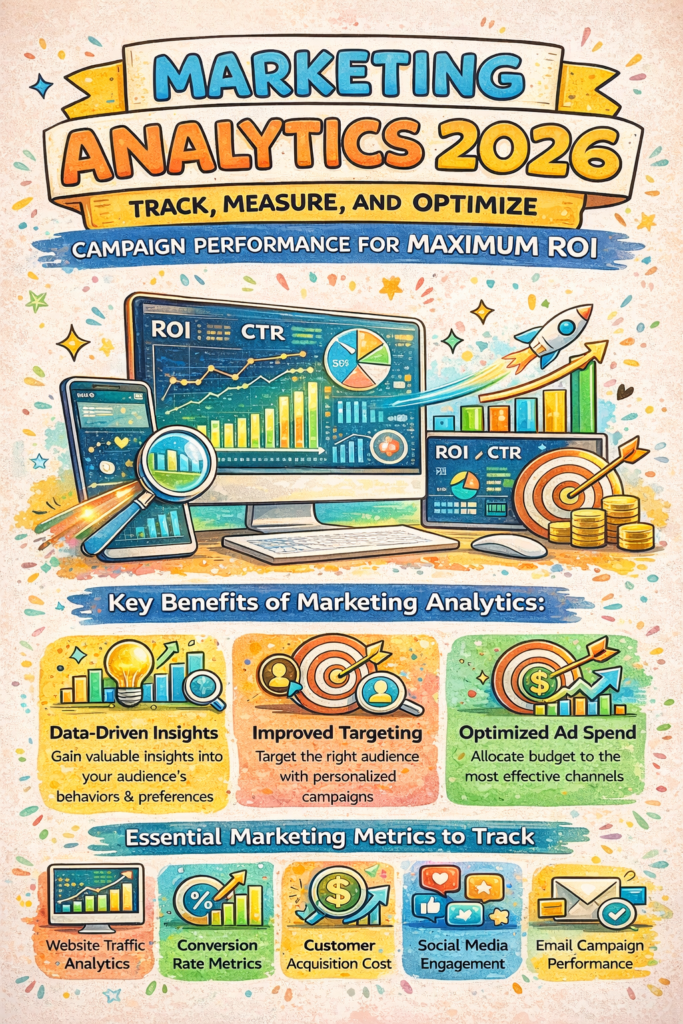
Want to know if your marketing dollars are actually working? That’s where marketing analytics comes in.
In 2026, successful businesses aren’t just running campaigns — they’re tracking every click, conversion, and customer interaction to make smarter decisions. Marketing analytics helps you understand what’s driving results and what’s draining your budget.
This guide will show you how to use marketing analytics to track performance, measure what matters, and optimize your campaigns for maximum return on investment.
What Is Marketing Analytics and Why Does It Matter?
Marketing analytics is the practice of measuring, managing, and analyzing your marketing performance data. Think of it as your campaign’s report card — but one that actually helps you improve.
Here’s why it matters:
- Stop guessing, start knowing: See exactly which channels bring in customers
- Save money: Cut spending on campaigns that don’t convert
- Boost ROI: Double down on what’s working
- Understand your audience: Learn what content resonates with real people
- Make faster decisions: Spot trends before your competitors do
Without analytics, you’re flying blind. With it, you have a roadmap to success.
Essential Marketing Analytics Metrics You Should Track
Not all metrics deserve your attention. Focus on these key performance indicators:
Conversion-Focused Metrics
- Conversion Rate: Percentage of visitors who take your desired action
- Cost Per Acquisition (CPA): How much you spend to get one customer
- Return on Ad Spend (ROAS): Revenue generated for every dollar spent
- Customer Lifetime Value (CLV): Total revenue from a single customer relationship
Engagement Metrics
- Click-Through Rate (CTR): How often people click your ads or links
- Bounce Rate: Visitors who leave without engaging
- Time on Page: How long people consume your content
- Social Shares: How often your content gets shared
Track 5–8 core metrics consistently rather than drowning in dozens of data points.
How to Set Up Marketing Analytics Tracking in 2026
Getting started with marketing analytics doesn’t require a PhD in data science. Follow these steps:
Step 1: Choose Your Analytics Platform
Popular options include:
- Google Analytics 4 (GA4): Free and comprehensive website tracking
- HubSpot Analytics: All-in-one marketing platform with built-in reporting
- Mixpanel: Advanced product and user behavior analytics
- Adobe Analytics: Enterprise-level solution for large organizations
For most small to medium businesses, GA4 combined with your email marketing tool covers 80% of needs.
Step 2: Set Clear Goals
Before tracking anything, define what success looks like:
- Newsletter signups?
- Product purchases?
- Demo requests?
- Content downloads?
Set up goal tracking in your platform for each conversion type.
Step 3: Implement UTM Parameters
UTM codes help you track exactly where your traffic comes from. Add them to every external link:
yoursite.com/blog-post?utm_source=facebook&utm_medium=social&utm_campaign=spring-sale
This tells your marketing analytics tool which specific post, email, or ad drove each visitor.
Step 4: Connect All Your Data Sources
Integrate your:
- Email marketing platform
- CRM system
- Social media accounts
- Paid advertising platforms
The more connected your data, the clearer your customer journey becomes.
Measuring Campaign Performance: What to Look For
Once your tracking is live, analyze these elements weekly:
Channel Performance
Which channels bring the highest quality traffic? Compare:
- Organic search
- Paid ads (Google, Facebook, LinkedIn)
- Email campaigns
- Social media
- Referral traffic
Don’t just look at volume — focus on conversion rates and revenue per channel.
Content Performance
Identify your top performers:
- Which blog posts drive the most conversions?
- What email subject lines get opened?
- Which landing pages have the highest conversion rates?
Create more content similar to your winners.
Audience Insights
Use marketing analytics to understand who converts best:
- Age and location demographics
- Device type (mobile vs. desktop)
- New vs. returning visitors
- Behavior flow through your site
This helps you target the right people with the right message.
Marketing Analytics Optimization Strategies for Maximum ROI
Data without action is useless. Here’s how to optimize based on your findings:
A/B Test Everything
Test one variable at a time:
- Email subject lines
- Landing page headlines
- Call-to-action button colors
- Ad copy variations
Run tests for at least 1–2 weeks to gather meaningful data.
Eliminate Low Performers
If a channel or campaign shows poor ROI after 3 months, reallocate that budget. Be ruthless about cutting what doesn’t work.
Double Down on Winners
When you find a winning combination:
- Increase budget by 20–30%
- Create similar campaigns with variations
- Expand to related audience segments
Personalize Based on Data
Use your marketing analytics insights to segment audiences and personalize:
- Send different emails to different customer segments
- Show dynamic website content based on visitor behavior
- Retarget with ads featuring products people viewed
Personalization can boost conversion rates by 10–30%.
Common Marketing Analytics Mistakes to Avoid
Even experienced marketers make these errors:
Vanity Metrics Trap: Don’t obsess over likes and followers. Focus on conversions and revenue.
Analysis Paralysis: Too much data leads to overthinking. Pick 5–7 core metrics and check them weekly.
Ignoring Mobile Data: Over 60% of traffic is mobile. If your mobile experience is poor, your analytics will show it.
Short-Term Thinking: Some channels (like SEO and content marketing) take 3–6 months to show results. Don’t kill them too early.
Not Tracking Attribution: Multi-touch attribution shows the entire customer journey, not just the last click.
Frequently Asked Questions About Marketing Analytics
How often should I check my marketing analytics?
Check high-level dashboards weekly and do deep dives monthly. Daily checking usually leads to reactive decisions based on normal fluctuations.
What’s a good ROI for marketing campaigns?
A 5:1 ratio (earning $5 for every $1 spent) is solid. Above 10:1 is exceptional. But this varies by industry and campaign type.
Can I use marketing analytics for small business?
Absolutely! Free tools like Google Analytics 4 and basic CRM integrations give small businesses powerful insights without big enterprise costs.
How long before I see results from marketing analytics?
You’ll see data immediately, but meaningful optimization usually takes 2–3 months as you gather enough information to spot patterns and trends.
Take Action: Your Marketing Analytics Roadmap
Marketing analytics isn’t a “set it and forget it” tool — it’s an ongoing practice that compounds over time.
Start this week:
- Set up Google Analytics 4 if you haven’t already
- Define your top 3 conversion goals
- Create UTM parameters for your next campaign
- Review your data weekly and make one optimization
The businesses winning in 2026 are the ones who let data drive decisions. With the right marketing analytics setup, you’ll spend less, earn more, and actually understand what’s working in your marketing.
Ready to stop guessing and start growing? Your data is waiting to tell you exactly what to do next.
Leave a Reply to Social Media Marketing: Master Every Platform to Grow Your Brand and Revenue – thegrowthxmedia.com Cancel reply